General required steps to integrate Keycloak as IDP⚓︎
This documentation shows how to connect with Keycloak as IDP over the OpenID-Connect (OIDC) protocol.
Using the Discovery Endpoint to get valid OIDC paths⚓︎
The OIDC standard discovery endpoint for Keycloak is reachable on each configured realm.
https://<KEYCLOAK INSTANCE>/realms/<REALM ID>/.well-known/openid-configuration
For example, the Realm we want to use is called “eoepca” (Realm-ID).
You can find the Realm-ID here:
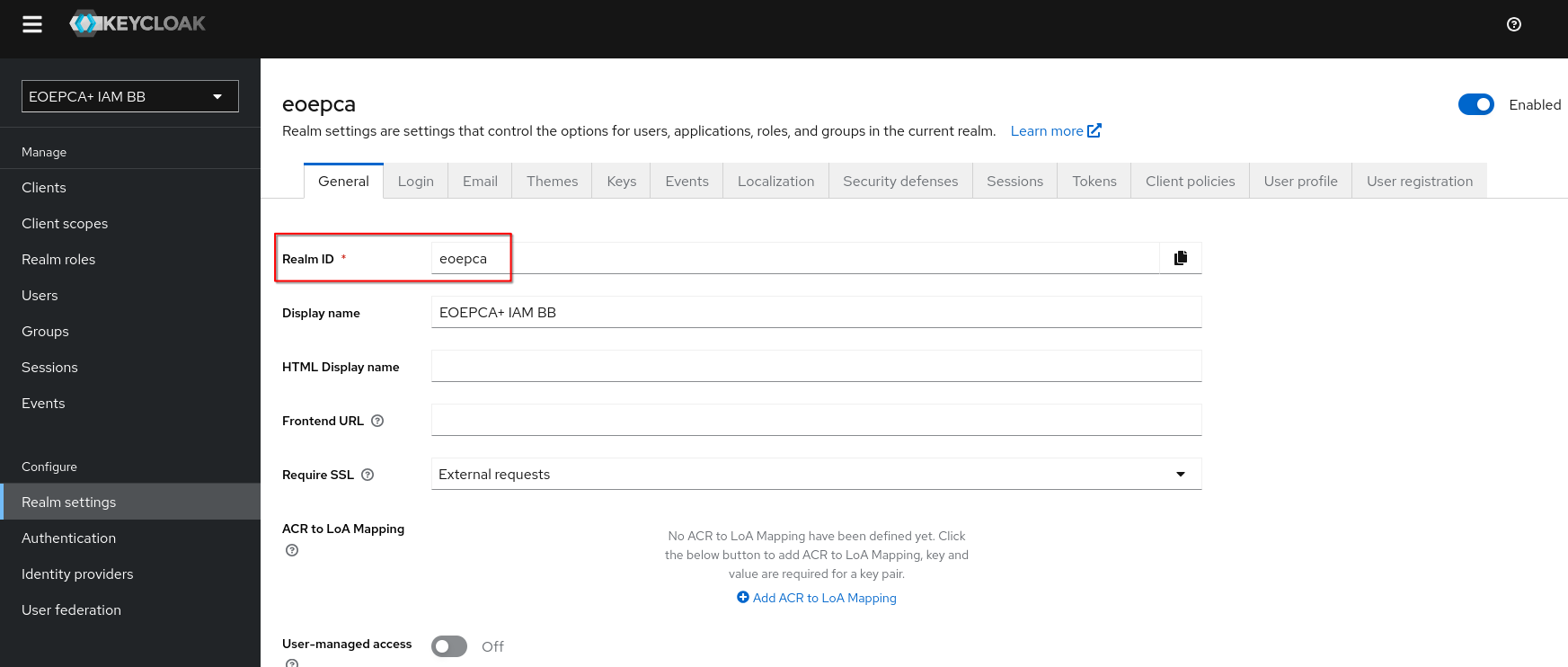
Then, the URL from Keycloak would look like this:
https://<KEYCLOAK INSTANCE>/realms/eoepca/.well-known/openid-configuration
The discovery endpoint will now print out various information about the OIDC endpoint in JSON format. You will most likely need the “authorization_endpoint”, “token_endpoint”, “userinfo_endpoint” and “end_session_endpoint”. These endpoints can be called as described in the openid specification.
If using a third-party OIDC plugin, setting the .well-known url should usually be enough.
Client Authentication⚓︎
For some requests, you might have to set or post “client credentials”, if “Client Authentication” is enabled inside Keycloak for your specific configured client.
Those attributes are (automatically) set inside the client configuration of Keycloak and must match the configuration of the connected client and the IdP.